
You type your text. You pick a style. You hit copy. Done.
Bubble Letters Generator
That is how the bubble letters generator on FreeFontPlanet works. No account. No download. No fuss. Just bold, round, puffed-up text you can paste anywhere — Instagram bios, Discord usernames, WhatsApp messages, YouTube banners, Canva designs, you name it.
Limitless Possibilities
Free Fonts Download
Want Unicode styled text (works everywhere)? Use the Step 1→2→3 composer above — type your text, pick a style, hit Copy. Pastes on Instagram, WhatsApp, Twitter, anywhere.
Want a real font for Word / Canva / Photoshop? Browse below → click ↓ Download → install the font on your device → select it in your app's font menu.
Loading font browser...
Bubble letter font
Explore Our Free Font Tools
French Fonts
Browse and preview free French fonts with full accent support. Generate styled French text and copy it anywhere in seconds.
Arabic Fonts
Explore free Arabic fonts with RTL support. Preview your text live, generate decorative Arabic styles, and copy with one click.
Spanish Fonts
Find free Spanish fonts with full ñ and accent support. Preview, generate decorative letra cursiva text, and download free.
Dutch Fonts
Browse free Dutch fonts with ij, ë, and ö character support. Generate styled Dutch text and download font files free.
Urdu Fonts
Discover free Urdu fonts with Nastaliq script and RTL support. Preview, generate styled Urdu text, and download in one click.
Hindi Fonts
Browse free Hindi fonts in Devanagari script. Generate styled Hindi text live, preview your words, and download font files free.
Fancy Font
Turn any text into 50+ fancy Unicode styles instantly. Copy and paste styled text to Instagram, Discord, WhatsApp, and more.
Font Styles
Explore 80+ decorative font style cards, bubble letters, gothic, graffiti, vintage, script, and more. Copy your favorite style for free.
Font Downloader
Browse 150+ free font files across 16 categories. Preview live, download .ttf and .otf files, and use them in any design software.
Bubble Letters Generator
Free Font Download, Copy and Paste
But FreeFontPlanet.com is more than just a bubble letters tool. It is a fully free font generation platform. You can generate styled Unicode text in 49 themes, browse 150+ real font files, download them straight to your computer, and use them in Photoshop, Word, Illustrator, or Canva.
This page walks you through everything: the bubble letter styles, the free font downloads, the copy-paste tool, and a ton of practical tips for designers, students, social media creators, and Cricut crafters. We also covered the French Fonts on this website.
What Are Bubble Letters?
Bubble letters are a style of typography where each character looks round, puffed up, and inflated, like a balloon. The strokes are thick, the corners are soft, and the overall look is bold and playful without feeling aggressive.
You have probably seen them on birthday cards, graffiti walls, school posters, sports jerseys, YouTube thumbnails, and TikTok videos. Bubble letters have been popular for decades, and they are not going anywhere.
The style works across age groups and industries. Kids love them for craft projects. Designers use them for brand identities. Social media creators use them to make their bios and captions stand out. Cricut users cut them from vinyl for custom decals and stickers.
Free Bubble Letter Generator, How It Works in 3 Steps
Free Font Planet’s bubble letter generator is completely free to use. No login required. No watermark. Here is all you do:
Step 1: Pick your style. At the top of the page, you will see a row of style pills. Click Bubble Letters or scroll through the other themes.
Step 2: Type your text. Write anything in the text box: your name, a word, a short phrase. The preview updates live, so you see it transform instantly.
Step 3: Copy and paste anywhere. Hit the Copy button. Your styled text is on your clipboard. Paste it into Instagram, Twitter, WhatsApp, Discord, Canva, Gmail, or anywhere else that accepts text.
No font file to install. No app to download. It just works.
Bubble Letter Font Styles You Can Generate for Free
The generator does not give you just one bubble letter style. There are several variations, each with a different personality.
Classic Bubble Letter Font
Big, round, uniform strokes with soft edges. This is the one most people picture when they hear bubble letters. Works great for names, birthday messages, short phrases, and anything that needs to feel friendly and approachable.
Graffiti Bubble Letters
Bolder and more angular than the classic style. Inspired by street art and hand-lettered graffiti. These have more edge and attitude. Great for music, streetwear brands, urban-inspired content, and anything that needs a bit of grit.
Cute Bubble Letters
Softer and slightly smaller. Often paired with playful decorative elements. Popular with younger audiences and perfect for birthday messages, kids content, and social media posts with a sweet, fun vibe.
Letters With Bubbles , Outlined Style
Just the outline, no fill. These look especially clean on dark backgrounds or when layered over photos. The transparent centre makes them versatile for poster design and digital art.
Bubble Letter Font for Logos and Branding
A cleaner, more typographic version of the bubble style. Less casual than the classic, more polished. Works well for brand names, channel headers, and social media profile text.
Free Font Download, Real Font Files for Your Computer
Beyond the Unicode generator, FreeFontPlanet has a full font browser where you can preview and download real font files for free.
These are proper .ttf and .otf files served through the Google Fonts library. Open source, completely free, and safe for commercial use in most cases.
Free Font Downloads Across 16 Categories
The font library has 150+ fonts organised into 16 categories so you can find exactly what you need without scrolling forever.
- Serif and Sans Serif
- Script and Handwritten
- Display and Decorative
- Blackletter and Gothic
- Monospace and Condensed
- Rounded and Kids/Fun
- Elegant and Grunge
- Variable and Slab Serif
Every font previews live before you download. Type your own text into the preview box and see exactly how your words look before committing.
Quality Fonts Free — What That Actually Means
Every font in the browser comes from Google Fonts, which means the quality is professional grade. These are not random free fonts with broken character sets or missing glyphs scraped from obscure corners of the internet.
Google Fonts are used by millions of professional designers on real client work every day. When you download from FreeFontPlanet, you are getting the same files a designer would pull from Google Fonts directly — just with a faster preview and a simpler download experience.
Download Fonts and Install Them in Seconds
Once you click download, the font file saves to your computer. Installing it takes about five seconds.
On Windows: Right-click the .ttf or .otf file and select Install. On Mac: Double-click the file and click Install Font.
After that, the font shows up in every app on your computer — Word, Photoshop, Illustrator, Canva, PowerPoint, everything.
Free Font Generation, Unicode Text vs. Downloading a Font File
A lot of people get confused about this so it is worth explaining clearly. Two different things are happening on FreeFontPlanet.
Free font generation (Unicode text generator): This converts your text into Unicode characters that look like styled fonts. Because Unicode is universal, the styled text pastes and displays correctly everywhere — Instagram, Twitter, WhatsApp, Discord, TikTok bios, email subjects, Google Forms, anywhere that accepts text.
You do not install anything. The style travels with the text itself.
Free font download (real font files): These are actual font files you install on your computer. Once installed, the font appears in Photoshop, Word, Canva, Illustrator, and every other app. You type in the font and your text looks styled inside that document.
This does NOT paste styled to social media — it is a font on your device, not Unicode text.
Use the generator for social media and messaging. Use the font browser for design software and documents.
Free Font Copy Paste, Why It Works Everywhere
When you copy text from the FreeFontPlanet generator, you are not copying an image or a special file. You are copying actual text characters, just Unicode ones that happen to look like styled fonts.
This matters because Instagram reads it as text so it displays in your bio without workarounds. WhatsApp sends it as a normal message, styled for everyone who receives it. Discord shows it styled for every member of your server. Twitter, TikTok, and LinkedIn all support Unicode so your captions and bios stay styled.
The only place it behaves differently is Word or Google Docs, where it pastes as raw Unicode symbols. They usually still look styled but you cannot resize or reformat them like a real font. For that, download a font file instead.
Cursive Font Generator, Flowing Text in One Click
One of the most popular styles beyond bubble letters is the cursive font generator. Type your text, select the cursive theme, and your words instantly transform into flowing, connected handwriting-style text.
How to Write in Cursive Using the Generator
You do not need to know how to write in cursive by hand. The generator does it automatically. Type your text, pick the cursive style, and copy. Paste it into an Instagram bio, a birthday message, a wedding invitation caption, or anywhere you want an elegant, handwritten feel.
The cursive font generator works on Instagram bios and captions, Twitter/X display names, WhatsApp statuses, Discord usernames, and directly inside Canva text boxes with no font installation needed.
Meme Font | Bold, All-Caps, Copy-Paste Ready
The meme font is one of those styles everyone recognises but not everyone knows the name of. It is the thick, bold, all-caps style with a white outline used on classic internet memes everywhere from Reddit to Twitter to Instagram.
Meme Fonts for Every Format
FreeFontPlanet gives you meme-style text you can copy and paste directly into any caption, comment, or image editor. No app needed. Type your meme text, copy it, done.
Meme fonts work especially well for Twitter and Reddit captions, Discord messages and server announcements, YouTube video titles, and TikTok text overlays where bold high-contrast text is the whole point.
FontMeme Style Text Without the Extra Steps
Sites like FontMeme require you to generate an image file to get styled meme text. FreeFontPlanet gives you copyable Unicode text you can paste straight into any post without saving or uploading an image. Faster, simpler, and it works everywhere text is accepted.
Graffiti Alphabet | Street Art Lettering Online
The graffiti alphabet generator turns your words into hand-lettered street art style text. Each letter is styled like something you would see on a wall, a sketchbook, or a hip-hop album cover.
Font Space Style Variety Without Leaving One Page
Font browsing sites make you jump between dozens of pages to find what you want. FreeFontPlanet keeps everything in one place. The graffiti alphabet, bubble letters, gothic text, and 46 other styles are all on the same page. Pick a style, type your text, copy. No clicking around.
Graffiti alphabet text works great for social media usernames and bios, gaming profiles, Discord server names, streetwear brand mockups, music-related content, and any design that needs an urban, hand-lettered feel.
Lettering and Lettering Styles | All the Decorative Text You Need
FreeFontPlanet covers a wide range of lettering styles beyond bubble letters and graffiti. Good lettering is not just decoration — it communicates mood, personality, and tone before someone reads a single word. Here is what else is available.
Ghostly Whisper, Eerie Faded Lettering
Ghostly Whisper is one of the more unusual styles in the collection. The text looks faded, wispy, and slightly eerie — like writing that is slowly disappearing. It is a strong choice for Halloween content, horror-themed designs, mystery branding, and anything with an atmospheric quality.
It stands out in a feed full of bold, high-contrast text. Sometimes the quietest-looking lettering is the most attention-grabbing.
Textura, Classic Blackletter Lettering
Textura is rooted in medieval manuscript tradition. It is dense, vertical, and highly decorative — the style used in illuminated manuscripts and early printed books.
In modern design it appears in band logos, tattoo references, gothic fashion branding, luxury goods packaging, and newspaper mastheads. Textura works best as a headline or logo treatment. It is not a body text style — readability drops fast at smaller sizes.
Letra Cursiva, Handwritten Cursive Lettering
Letra cursiva means cursive letter in Spanish. The style is a flowing, handwritten cursive with an organic quality that feels personal and warm. It works beautifully for messages in Spanish or English, social media content with a romantic tone, wedding and celebration designs, and signature-style personal branding.
Tattoo Fonts | Lettering That Looks Like Ink
Tattoo-inspired lettering is one of the most searched font categories online. People use tattoo fonts for researching lettering styles before getting inked, creating mock-up designs to show a tattoo artist, adding a tattoo-style feel to merchandise and apparel, and music or streetwear branding.
FreeFontPlanet covers several lettering styles that work for tattoo reference — gothic blackletter, cursive script, fine-line lettering, and traditional bold styles. The copy-paste generator lets you preview your exact word or phrase in each style before deciding on anything.
Disney Font | Playful Rounded Magic
The Disney font style is one of the most recognisable lettering treatments in the world — that flowing, rounded, slightly theatrical style associated with the Walt Disney logotype and classic Disney film titles.
On FreeFontPlanet, the Disney-inspired text style gives you that same playful, rounded feel you can copy and paste into birthday party invitations and cards, kids content on YouTube and TikTok, Canva designs for family events, and custom gift labels.
It is not the official Disney font (which is proprietary) but the style captures the same warm, magical energy.
Alphabet Fonts | Every Letter, Every Style
Sometimes you just want to see the full alphabet in a particular style before you commit to using it. FreeFontPlanet lets you do exactly that. Every theme previews the complete alphabet so you know what you are getting before you copy.
Cute Font Styles for Creative Projects
Cute font styles are soft, rounded, and often include small decorative touches that make them feel warm and friendly. Popular for kids’ content and educational materials, birthday and celebration designs, personal social media accounts, and gift cards, stickers, and Cricut projects.
Fun Fonts for Social Media and Events
Fun fonts are expressive and energetic. They break the rules of traditional typography on purpose — uneven baselines, exaggerated letter shapes, playful proportions. Great for party invites, event posters, game-related content, and anywhere that needs high energy.
Poppins Font | Clean Modern Free Download
Poppins is one of the most popular free fonts in the world for good reason. It is a geometric sans-serif with a friendly, modern feel and excellent readability across all screen sizes.
It comes in multiple weights from thin to extra bold, which means it works for both body text and display headings without switching fonts. That consistency makes it a favourite for app interfaces, websites, presentations, and brand identities.
Poppins pairs beautifully with decorative display fonts. If you are using bubble letters or graffiti alphabet text as your headline, Poppins is an excellent choice for your body copy or subheadings. The contrast between the two is clean and intentional.
Download Poppins for free from the FreeFontPlanet font browser. All weights included.
Number Fonts | Styled Digits for Every Design
Number fonts come up constantly in real design work. Sports jerseys, scoreboards, pricing displays, countdown timers, birthday age graphics, and date-based designs all need numeral styling that matches the overall aesthetic.
FreeFontPlanet’s font browser includes fonts with strong numeral design across multiple styles, bold display numbers for sports and events, elegant serif numerals for invitations, playful rounded number fonts for kids’ content, gothic and blackletter numbers for band and tattoo reference, and monospace number fonts for coding and technical design.
Best Coding Fonts | Monospace Fonts for Developers
For developers, the right coding font makes a real difference. Good monospace fonts reduce eye strain, improve readability of code structure, and just make the experience of writing code more enjoyable.
The best coding fonts clearly distinguish between easily confused characters like O and 0, l and 1, and I and |. They offer comfortable line spacing for long sessions and are available in multiple weights so you can customise your editor exactly how you want it.
FreeFontPlanet’s font browser includes popular monospace fonts that work great in VS Code, Sublime Text, and Notepad++. Preview them live before you download so you can see exactly how your code will look before committing.
Design Tips for Using Bubble Letters and Decorative Fonts
Getting the right font is one thing. Using it well is another.
Keep bubble letters short, one or two words maximum. Long sentences in bubble-letter font become unreadable quickly. Use them for headlines, names, and labels.
Contrast is everything. Decorative fonts need a clean background to breathe. White text on dark. Dark text on white. Avoid putting lettering over busy images without a solid overlay behind it.
One decorative font per design. If you are using bubble letters as your headline, keep everything else simple. A clean sans-serif like Poppins for body text. Two decorative fonts competing for attention always look chaotic.
Match the font to the mood. Graffiti bubble letters feel urban and edgy. Cute bubble letters feel soft and sweet. Textura feels dramatic and historic. Letra cursiva feels personal and romantic. The font should reinforce what your content is trying to say.
Common Mistakes to Avoid
Using decorative fonts for body text is the most common mistake. Textura, bubble letters, and graffiti alphabet are headline and display styles. Readability collapses when you use them for long paragraphs.
Expecting Unicode text to behave like a real font in Word is another one. It pastes and usually looks styled, but you cannot resize or reformat it the way you would a proper font. For document work, download a font file.
Mixing too many styles in a single design is a trap that catches many people. One decorative font, one clean font. That is the rule.
Not checking font licenses before commercial use is a real risk. Most fonts in the browser are Google Fonts and are free for commercial use. But always read the individual license before using a font in a client project.
Happy CLIENTS
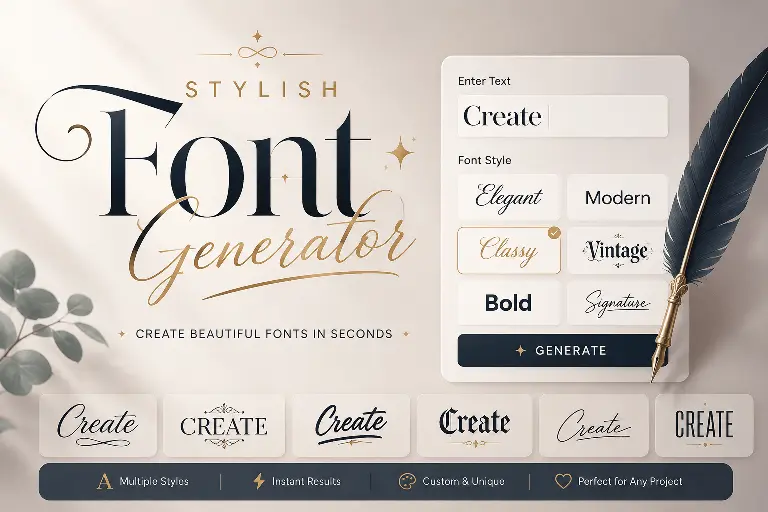
bubble letters
Conclusion
FreeFontPlanet gives you two things in one place, a free font generation tool that lets you copy and paste stylised text anywhere, and a free font download library with 150+ real font files ready to install on your computer.
Whether you need bubble letters for an Instagram bio, graffiti alphabet text for a Discord name, cursive font for a birthday message, meme font for a caption, ghostly whisper text for a Halloween post, textura lettering for a band logo, letra cursiva for a personal message, or a clean professional font like Poppins for a brand project, it is all here, free, and ready in seconds.
No signup. No payment. No watermark. Pick a style, type your text, copy it anywhere.